Replace a Photo Background with a New Color
Change the background color of one authorized image with natural edge blending while preserving the foreground subject, identity, shape, geometry, details, colors, text, and ownership marks.
Sign in required before running this tool.
No Credits are charged until you run the tool.
Optionally name a solid color or simple color treatment and describe any foreground edge that needs especially natural blending.
What is Background Color Changer?
Background Color Changer applies a simple user-described color treatment only to the existing background and blends the boundary naturally around the protected foreground. It is not background removal, not a scene replacement, and not foreground extraction. The result is one raster image; transparent-background output is not promised, and the foreground identity, shape, details, colors, text, and ownership marks must stay intact.
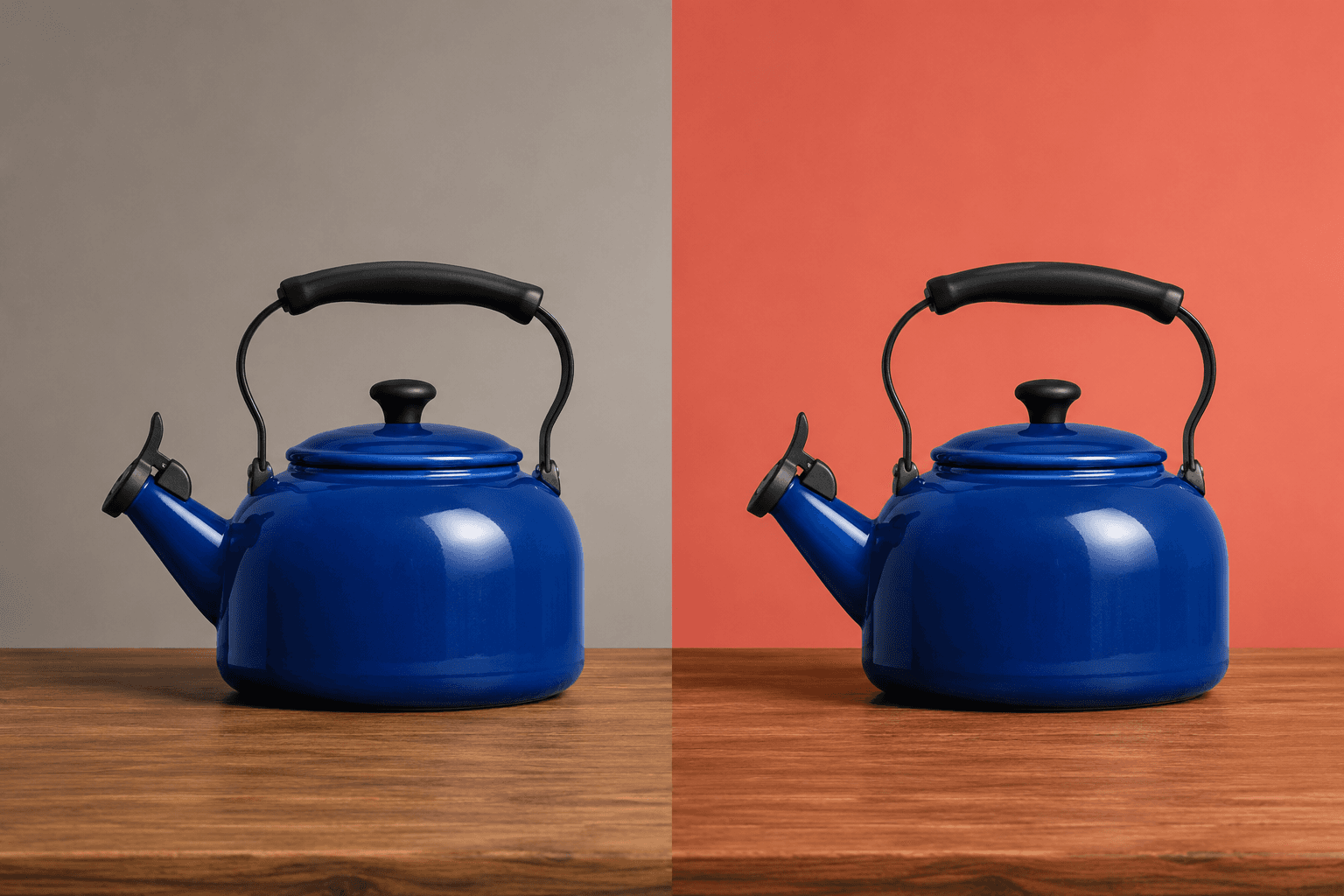
Does the subject fit, but the existing backdrop clashes?
Test a restrained background palette change without rebuilding the scene, extracting the subject, or recoloring foreground content.
How to use Background Color Changer
- 1
Choose a clear foreground source
Upload one private PNG, JPEG, or WebP with a foreground subject and background you are authorized to edit.
- 2
Inspect the foreground boundary
Identify hair, thin shapes, labels, reflective edges, or other details that must remain natural and unchanged.
- 3
Describe the target color treatment
Optionally use 4 to 2,000 characters to name the background color and any edge that needs careful blending.
- 4
Apply the background-only color edit
Run the single-image task knowing that only background color and local edge blending are allowed to change.
- 5
Review edges and foreground preservation
Compare identity, shape, geometry, detail, color, text, and ownership marks before reusing the private raster result.
Examples
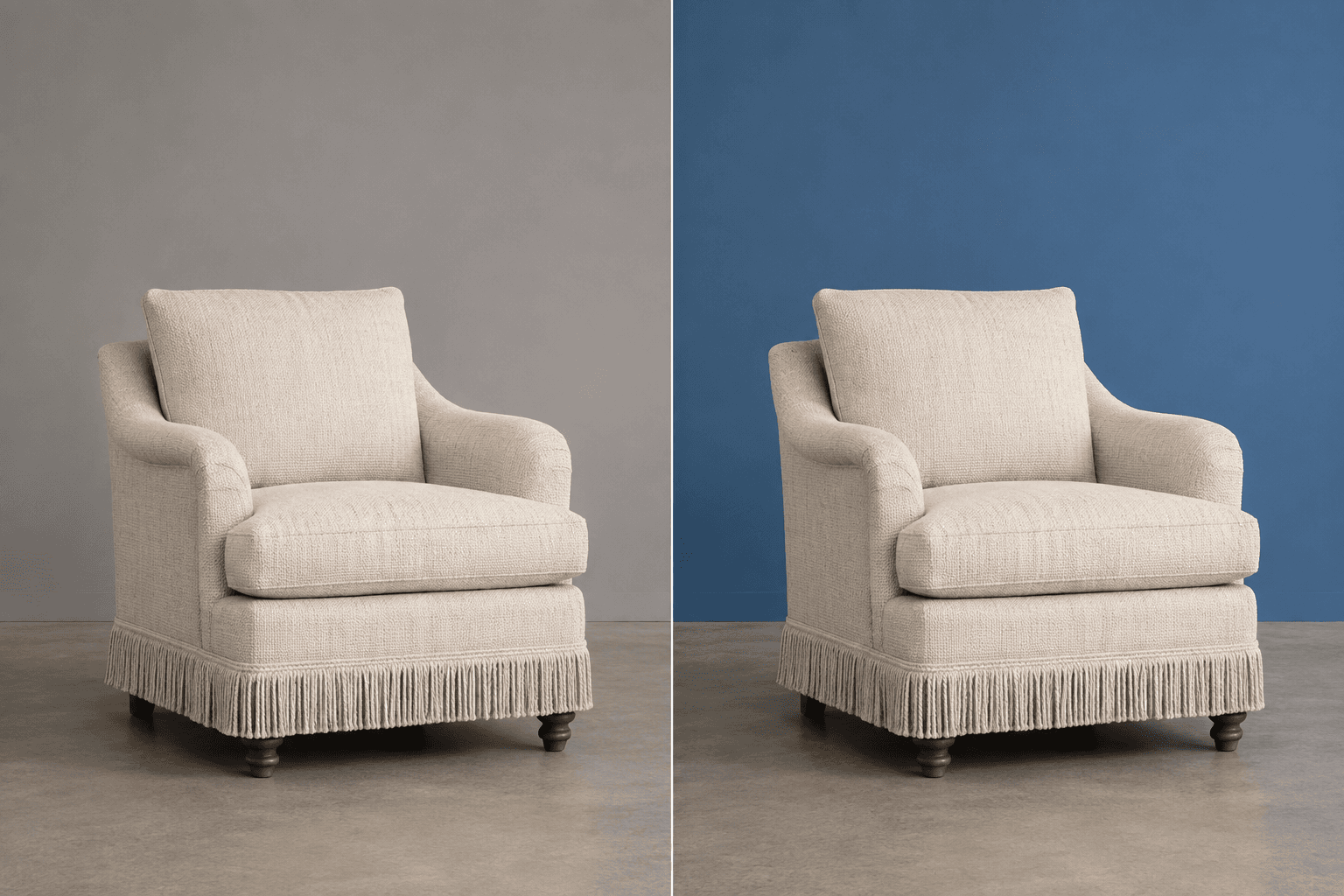
Blue chair backdrop
Change only the wall background behind the fabric chair to opaque medium blue; blend naturally around fringe and legs while preserving chair color, texture, floor contact, and shadow.
One private PNG raster with an opaque blue wall background and the chair, fringe, legs, floor contact, and shadow preserved.
Use cases
Bring authorized product photos onto a consistent solid backdrop without recoloring labels or merchandise.
Preview the same protected subject against alternate simple background colors before choosing a campaign direction.
Replace a distracting backdrop color while preserving the person's identity, clothing, hair edges, and composition.
Why use Background Color Changer?
Background-only color treatment
The allowed edit is restricted to background color rather than foreground recoloring or scene creation.
Natural foreground edge blending
Local blending can adapt around the protected subject without changing its identity, shape, or detail.
Foreground content protection
Geometry, original colors, text, ownership marks, and all other foreground content remain fixed.
Private flattened result
A successful edit is saved to My Media as one private PNG raster image with its source relationship.
Limits
FAQ
What does Background Color Changer actually edit?
Only the existing background color and the natural edge blending immediately around the foreground may change. The request can name a solid color or another simple color treatment, but it cannot authorize a new location, new objects, or broader scene redesign.
What must remain unchanged in the foreground?
The authorized foreground subject, identity, shape, geometry, fine details, original foreground colors, text, and ownership marks must remain protected. Review thin edges, hair, labels, and reflective boundaries carefully before reusing the saved result.
Which source images make edge blending easier to inspect?
Choose one clear image where the foreground boundary can be seen against the current background. Fine hair, translucent objects, motion blur, or similarly colored foreground and background areas may require more precise optional guidance and closer review.
How should I describe the new background color?
Use 4 to 2,000 optional characters to name a solid color, a restrained simple treatment, and any edge that needs special care. The instruction cannot recolor the foreground or override preservation, safety, ownership-mark, and output limits.
Why is this not a background remover or scene changer?
This task changes the color treatment of the background already present. It does not remove the background, extract the foreground, or create a new environment. Background Changer is the separate task for a user-described new scene; this page remains color-only.
Why is there no transparent-background promise?
The successful result is a flattened raster image. It does not promise a transparent PNG or alpha transparency and does not return foreground extraction, an editable mask, editable layer, PSD, or reusable selection area.
Which files, dimensions, and storage rules apply?
Upload one authorized PNG, JPEG, or WebP up to 20 MB, between 64 and 4096 pixels on each side. A successful edit saves one private PNG to My Media and retains its source relationship for later review.
What happens if no usable recolored background is saved?
A refusal, technical failure, or empty result does not create a usable saved image. When no usable result is saved, the existing Credit release or refund policy applies; clarify the color or edge guidance before another run.
Related tools
Start using Background Color Changer now
Change the background color of one authorized image with natural edge blending while preserving the foreground subject, identity, shape, geometry, details, colors, text, and ownership marks.
Run Background Color Changer