Create a Generic Watercolor Interpretation from a Photo
Transform one authorized photo with a generic watercolor treatment that may adjust texture, edge softness, pigment variation, and broad color treatment while preserving the subject, identity, pose, composition, and ownership marks.
Sign in required before running this tool.
No Credits are charged until you run the tool.
Optionally describe digitally simulated wash texture, edge softness, pigment variation, broad color treatment, and the source details that must remain recognizable.
What is Photo to Watercolor?
Photo to Watercolor creates one digital raster interpretation with simulated wash texture, softened edges, pigment variation, and broad color treatment while keeping the authorized source recognizable. It does not imitate living artists, does not accept requests phrased "in the style of" a named living artist, and does not copy a specific artist's recognizable signature style. The result is not a fine-art reproduction, museum-quality reproduction, or authentic handmade watercolor. It is not an original artwork, collectible, limited edition, or artist-authorized piece. The page does not claim real paper, physical pigments, hand-painted brushwork, or a physical painting process.
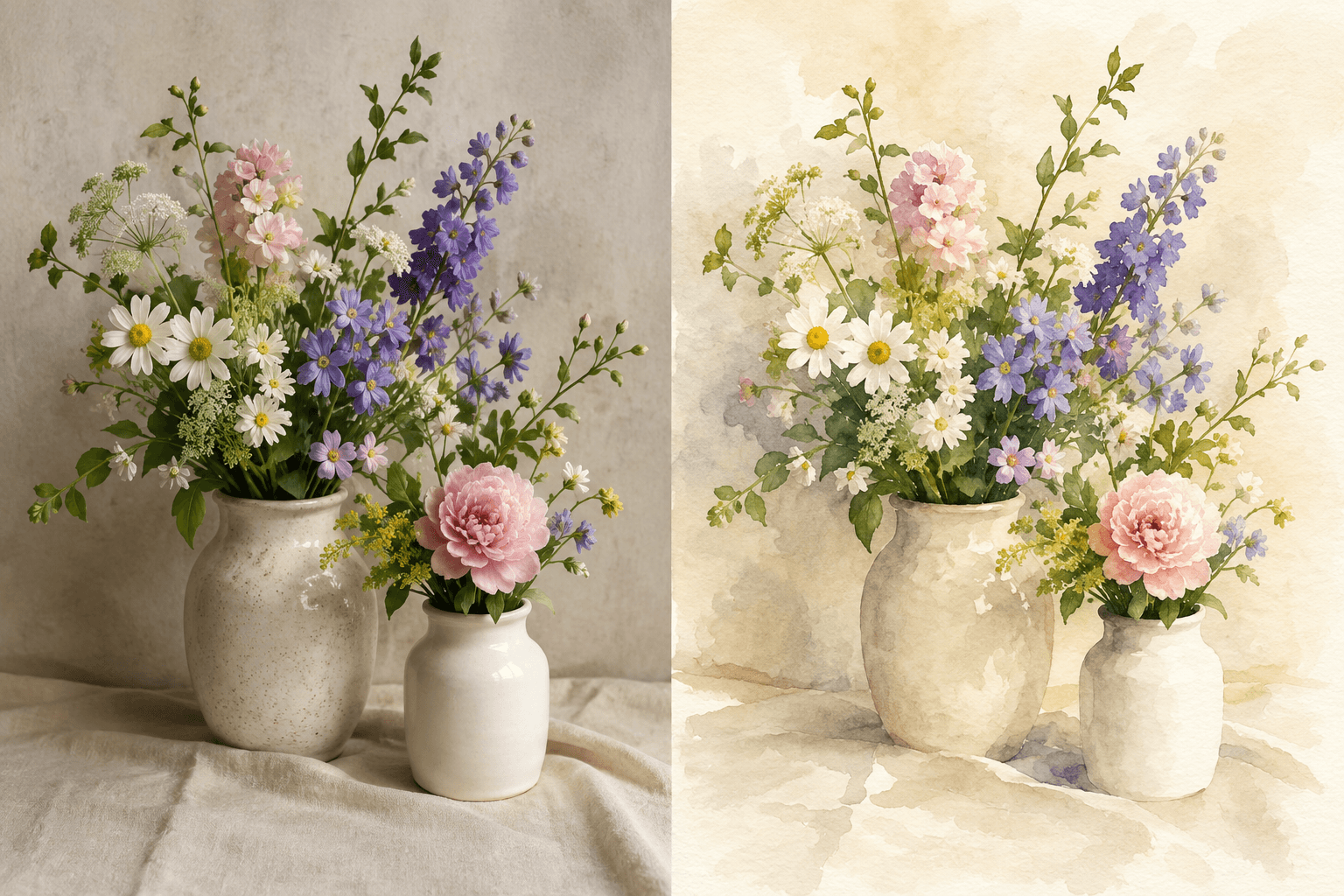
Need a watercolor direction without inventing artistic provenance?
Explore a generic watercolor treatment without living-artist imitation while protecting the source subject, identity, pose, composition, and ownership marks.
How to use Photo to Watercolor
- 1
Select an authorized source photo
Upload one private PNG, JPEG, or WebP whose subject, identity, pose, composition, and ownership marks you are allowed to transform.
- 2
Mark the protected visual anchors
Identify the face, body position, main objects, framing, text, and ownership marks that must remain recognizable in the interpretation.
- 3
Describe the generic wash treatment
Optionally use 4 to 2,000 characters to specify digital texture, edge softness, pigment variation, broad color treatment, and palette direction.
- 4
Generate the digital raster interpretation
Create one image using only generic watercolor characteristics, without naming a living artist or claiming a physical painting process.
- 5
Inspect treatment and source preservation
Review the wash appearance and edge softness, then compare subject identity, pose, composition, text, and ownership marks with the source.
Examples
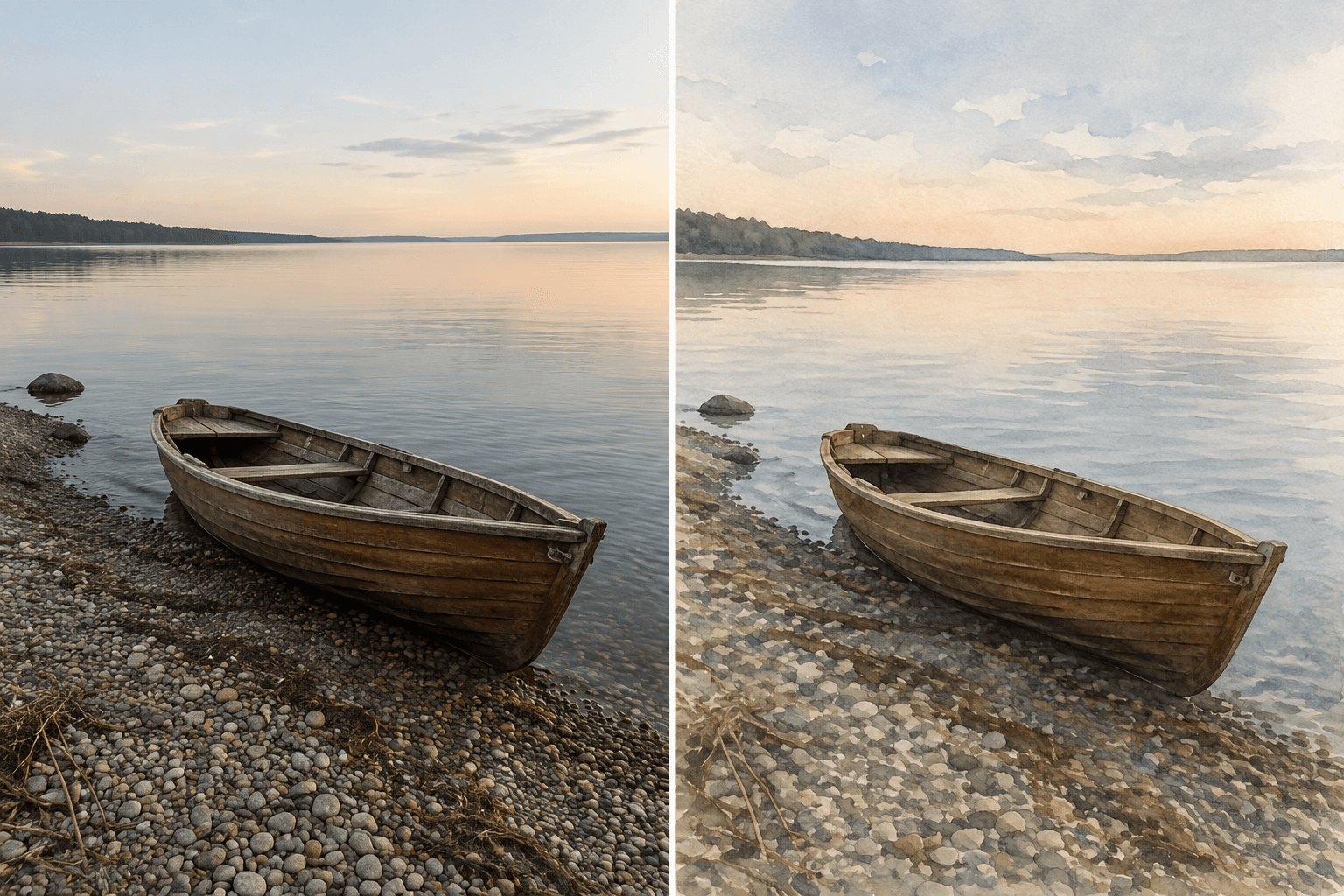
Empty rowboat wash study
Use a restrained generic watercolor wash with broad pigment variation and softer shoreline edges; preserve the empty rowboat shape, object count, shoreline geometry, crop, and camera angle.
One private PNG raster interpretation with a generic watercolor treatment and the rowboat and shoreline composition preserved.
Use cases
Test a generic wash and broad color direction on authorized photography before building an editorial layout.
Compare soft-edge and pigment-variation treatments while keeping people, landmarks, pose, and framing recognizable.
Explore a restrained watercolor-like raster treatment for a presentation while preserving products, labels, and ownership marks.
Why use Photo to Watercolor?
Generic wash treatment controls
Optional guidance can shape digital texture, edge softness, pigment variation, and broad color treatment without naming a creator.
Source identity and layout protection
The subject, recognizable identity, pose, composition, and ownership marks remain the fixed visual anchors.
Creator and provenance boundary
Living-artist imitation, signature-style copying, reproduction claims, and invented physical-art provenance are not accepted.
Private flattened PNG delivery
A successful result is saved to My Media as one private PNG raster interpretation with its source relationship.
Limits
FAQ
Which visual characteristics can the watercolor treatment change?
The generic watercolor treatment may change digital texture, edge softness, pigment variation, and broad color treatment. Those controls can create softer transitions and wash-like color grouping, but they cannot authorize a different subject, identity, pose, or composition.
Which parts of the source stay protected?
The subject, recognizable identity, pose, composition, and ownership marks must stay protected. Compare faces, body position, important objects, framing, logos, signatures, and other source marks before reusing the saved result.
How should I describe the optional watercolor direction?
Use 4 to 2,000 optional characters to describe simulated wash texture, edge softness, pigment variation, broad color treatment, palette direction, and details that must remain readable. The guidance cannot override preservation, safety, intellectual-property, or raster-output boundaries.
How can I check whether the result is usable?
Inspect whether the requested texture, soft edges, pigment variation, and broad color treatment are visible without obscuring the main subject. Then compare identity, pose, composition, text, and ownership marks against the source at both full-image and close-up views.
Can I request the style of a living artist?
The tool does not imitate living artists and does not accept requests phrased "in the style of" a named living artist. It does not copy a specific artist's recognizable signature style; request generic wash, palette, edge, or pigment characteristics instead.
Is the result a fine-art or handmade reproduction?
The result is not a fine-art reproduction, museum-quality reproduction, or authentic handmade watercolor. It is not an original artwork, collectible, limited edition, or artist-authorized piece, and it carries no claim of artist approval or provenance.
Does the output represent real paper, pigments, or hand painting?
The page does not claim real paper, physical pigments, hand-painted brushwork, or a physical painting process. Texture and pigment variation describe a digital appearance only, not materials or steps that actually occurred.
Can I edit vectors, layers, or individual brushstrokes?
The saved output is not a vector or PSD, does not include a layered pigment file, and does not provide editable brushstrokes. It is one flattened raster interpretation, so use separate software for any later manual reconstruction.
Which files, dimensions, and storage rules apply?
Upload one authorized PNG, JPEG, or WebP up to 20 MB, between 64 and 4096 pixels on each side. A successful run saves one private PNG to My Media and retains its source relationship for later review.
What happens if no usable watercolor result is saved?
A refusal, technical failure, or empty result does not create a usable saved image. When no usable result is saved, the existing Credit release or refund policy applies; revise the source or generic treatment guidance before another run.
Related tools
Start using Photo to Watercolor now
Transform one authorized photo with a generic watercolor treatment that may adjust texture, edge softness, pigment variation, and broad color treatment while preserving the subject, identity, pose, composition, and ownership marks.
Run Photo to Watercolor