Image Unblur
Reduce blur conservatively and disclose that reconstructed details may be approximate.
Sign in required before running this tool.
No Credits are charged until you run the tool.
Describe the local change while the fixed service rules remain in force.
What is Image Unblur?
Image Unblur reduces blur conservatively — camera shake, mild motion, soft focus — and discloses that reconstructed details may be approximate. It aims for a plausibly clearer image, not forensic recovery: what the blur destroyed cannot be truthfully brought back.
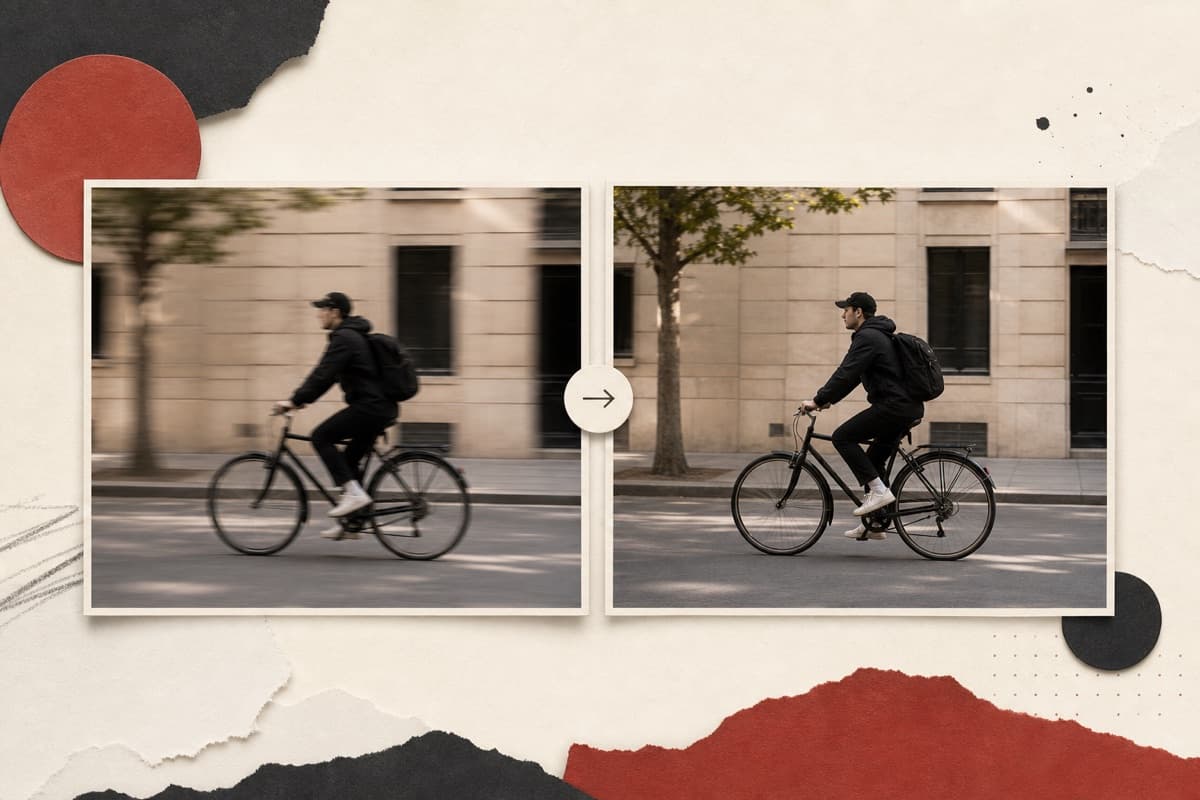
The only photo of the moment is blurry?
Recover what the capture still holds, clearly labeled as approximate where reconstruction filled in — better than losing the moment entirely.
How to use Image Unblur
- 1
Choose a mildly blurred photo
Select a permitted image affected by modest camera shake, motion, or soft focus.
- 2
Describe the blur pattern
Say whether the softness comes from movement, camera shake, or general focus.
- 3
Run conservative reconstruction
Reduce blur while keeping uncertain fine detail explicitly approximate.
- 4
Verify consequential details
Do not rely on reconstructed faces, plates, labels, or small writing as evidence.
Examples
Handheld rescue
Reduce the camera-shake blur in this dusk photo.
A visibly steadier image with approximate fine details disclosed.
Use cases
Steady handheld shots taken in low light.
Reduce mild subject-movement blur.
Clarify images from early phone cameras.
Why use Image Unblur?
Fixed service policy
Reduce blur conservatively and disclose that reconstructed details may be approximate.
Private media storage
Successful images are saved to My Media.
Failure release
Reserved Credits are released when no usable image is saved.
Limits
FAQ
Can it recover a license plate or small text from blur?
No — reconstruction is conservative and approximate by design. Treat any small text in the result as unreliable; this is not a forensic tool.
Which kinds of blur are suitable?
Mild camera shake, motion softness, and slight focus errors are better candidates than severe or fully lost detail.
Are reconstructed facial details factual?
No. Fine reconstruction may be approximate and must not be used for identity, legal, or forensic conclusions.
What does Image Unblur preserve?
The service is instructed to preserve the original region and unrelated scene content.
Can edit details replace the service rules?
No. User-supplied details remain subordinate to fixed safety and preservation rules.
Where is the edited image stored?
A successful image is stored privately in My Media for the signed-in account.
What happens when editing fails?
Reserved Credits are released when no usable image is saved.
Related tools
Start using Image Unblur now
Reduce blur conservatively and disclose that reconstructed details may be approximate.
Edit image