Style Transfer
Apply the requested broad visual style without imitating a living artist.
Sign in required before running this tool.
No Credits are charged until you run the tool.
Describe the local change while the fixed service rules remain in force.
What is Style Transfer?
Style Transfer re-renders your image in a broad visual style — watercolor, flat vector, film grain, oil paint — without imitating any living artist. Name the style tradition in general terms and the composition stays yours; only the rendering changes.
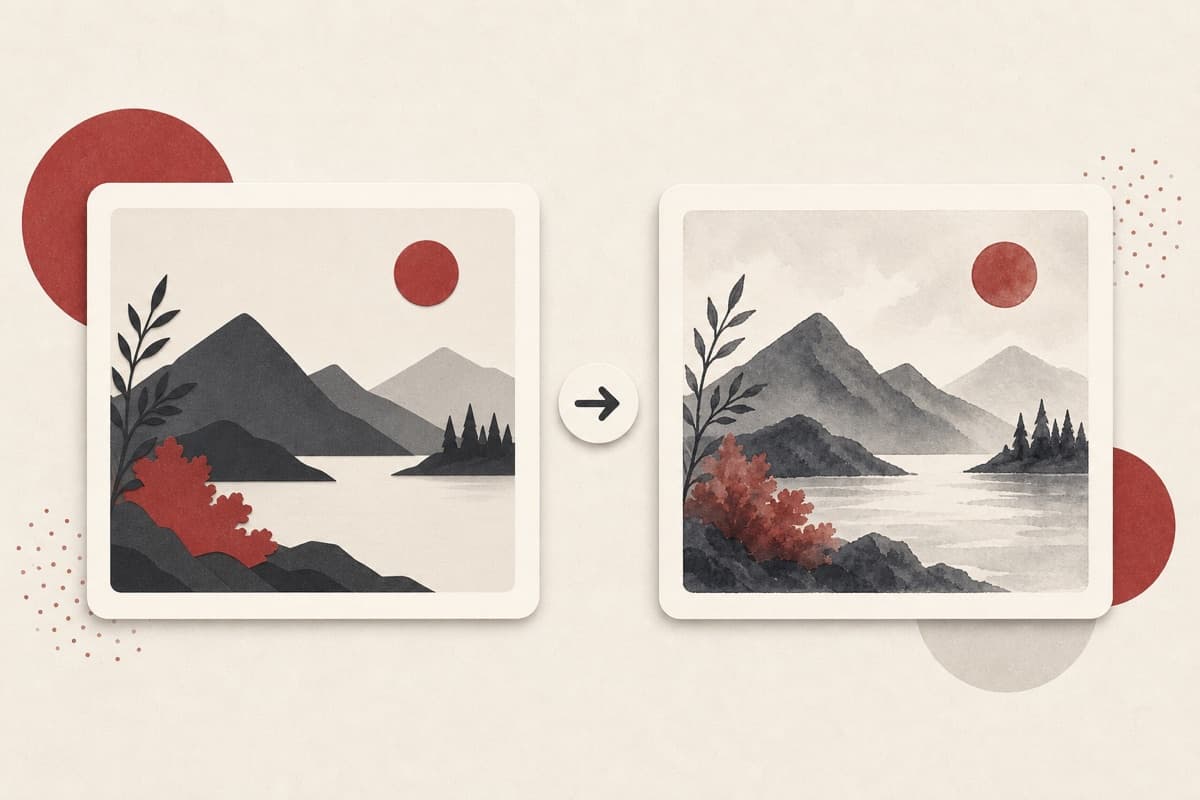
Need the same image in a different visual language?
Re-render instead of redraw: keep the composition and turn a photo into the watercolor, print, or grain treatment the project calls for.
How to use Style Transfer
- 1
Choose an authorized source
Select the private image whose composition must remain recognizable.
- 2
Name broad visual traits
Describe medium, texture, palette, and line treatment without requesting a living artist.
- 3
Apply the bounded treatment
Run the style edit while preserving the source composition and subject.
- 4
Compare structure and details
Check that framing and important features survived the new rendering.
Examples
Watercolor treatment
Re-render this street photo as a loose watercolor with soft edges.
The same composition in watercolor washes, saved as a new PNG.
Use cases
Photos restyled to match a publication's look.
One image, several visual treatments for testing.
A photo re-rendered as a painterly print.
Why use Style Transfer?
Fixed service policy
Apply the requested broad visual style without imitating a living artist.
Private media storage
Successful images are saved to My Media.
Failure release
Reserved Credits are released when no usable image is saved.
Limits
FAQ
Can I ask for a specific artist's style?
No. The rules accept broad style traditions — watercolor, art deco, film photography — but refuse imitation of living artists.
Which style descriptions work best?
Use broad medium and technique terms such as loose watercolor, flat vector, grainy film, or carved print.
Will the original composition stay recognizable?
That is the preservation goal, but review faces, small objects, and exact geometry after re-rendering.
What does Style Transfer preserve?
The service preserves unrelated content while applying the bounded transformation.
Can edit details replace the service rules?
No. User-supplied details remain subordinate to fixed safety and preservation rules.
Where is the edited image stored?
A successful image is stored privately in My Media for the signed-in account.
What happens when editing fails?
Reserved Credits are released when no usable image is saved.
Related tools
Start using Style Transfer now
Apply the requested broad visual style without imitating a living artist.
Edit image