Image Sharpener
Improve edge clarity without inventing fine details.
Sign in required before running this tool.
No Credits are charged until you run the tool.
Describe the local change while the fixed service rules remain in force.
What is Image Sharpener?
Image Sharpener improves edge clarity on slightly soft photos — a just-missed focus, a scan that came out mushy — without inventing fine detail that was never captured. It strengthens the edges that exist; it does not hallucinate texture.
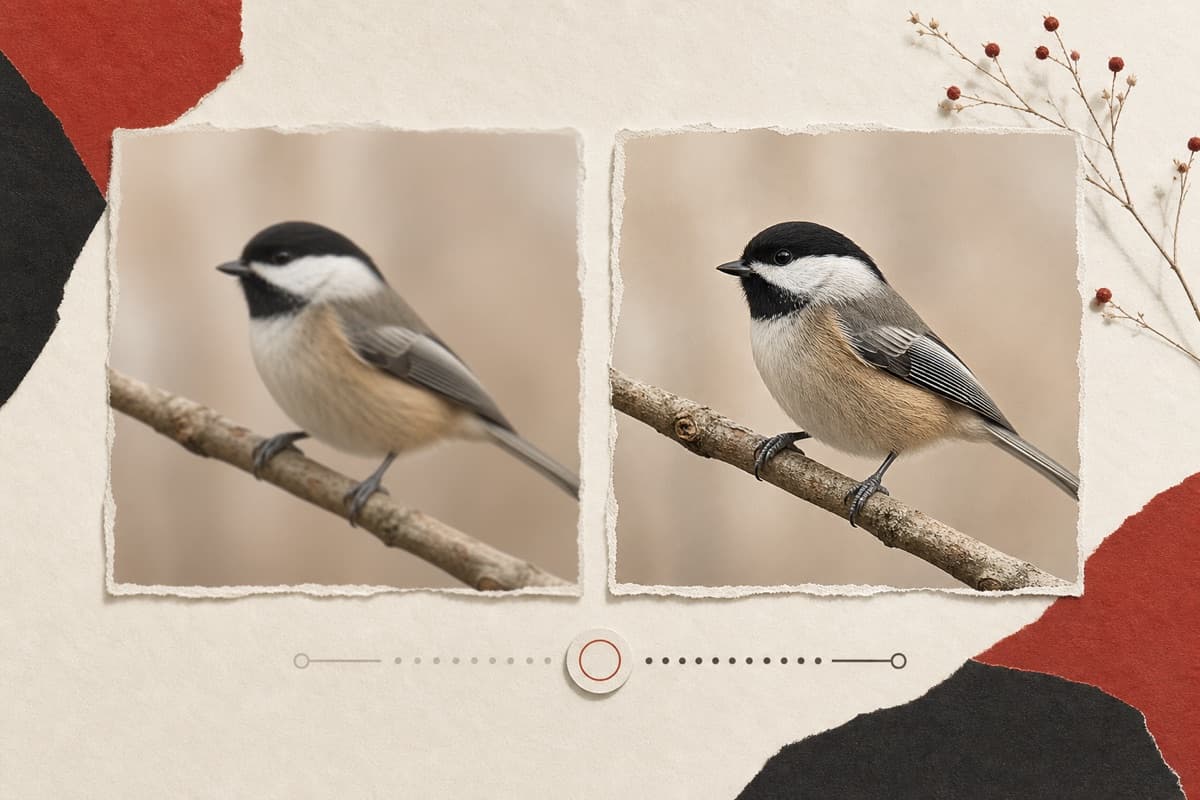
Almost sharp isn't sharp enough to print?
Recover the edge definition that's actually in the capture — honest sharpening that won't invent skin texture or fabric weave.
How to use Image Sharpener
- 1
Choose a mildly soft image
Use sharpening for existing edge detail, not severe defocus or heavy motion blur.
- 2
Describe the intended viewing size
Mention whether the private result is for web display, scanning cleanup, or print.
- 3
Strengthen existing edges
Run the conservative sharpening edit without inventing fine texture.
- 4
Inspect halos and skin texture
Review at actual size and reject oversharpened outlines or unnatural detail.
Examples
Scan crispen
Sharpen this slightly soft scanned print for framing.
Cleaner edges and better definition without invented texture.
Use cases
Firm up edges before enlargement.
Counteract the softness flatbed scans introduce.
Restore bite lost to resizing and compression.
Why use Image Sharpener?
Fixed service policy
Improve edge clarity without inventing fine details.
Private media storage
Successful images are saved to My Media.
Failure release
Reserved Credits are released when no usable image is saved.
Limits
FAQ
Can it fix a badly out-of-focus photo?
No — it improves edges that exist. Heavy blur needs Image Unblur, and even that reconstructs conservatively rather than inventing detail.
How is sharpening different from unblurring?
Sharpening reinforces existing edges; unblurring attempts conservative reconstruction for mild camera or motion blur.
Can sharpening create halos?
Strong edge enhancement can look unnatural, so inspect high-contrast edges and fine skin detail at actual size.
What does Image Sharpener preserve?
The service is instructed to preserve the original region and unrelated scene content.
Can edit details replace the service rules?
No. User-supplied details remain subordinate to fixed safety and preservation rules.
Where is the edited image stored?
A successful image is stored privately in My Media for the signed-in account.
What happens when editing fails?
Reserved Credits are released when no usable image is saved.
Related tools
Start using Image Sharpener now
Improve edge clarity without inventing fine details.
Edit image